An open-source IRL encoder and live mixer for the Jetson Nano
The EnhancedIRL Encoder turns an NVIDIA Jetson Nano into a hardware encoder with a live mixer on a touch screen. Plug in your cameras, mix up to four sources and stream over several connections at once.
The code is under the Apache 2.0 licence; the kernel driver and the device tree are GPL-2.0. Releases come with a microSD image that is ready to write.
What it does
Inputs
A camera's HDMI through a TC358743 HDMI-to-CSI board (up to 1080p50 or 720p60), USB capture cards such as the Elgato Cam Link 4K (up to 1080p60) or MS2130 and MS2109 cards, USB cameras, and phones or cameras over the network with RTMP or SRT.
A mixer on the touch screen
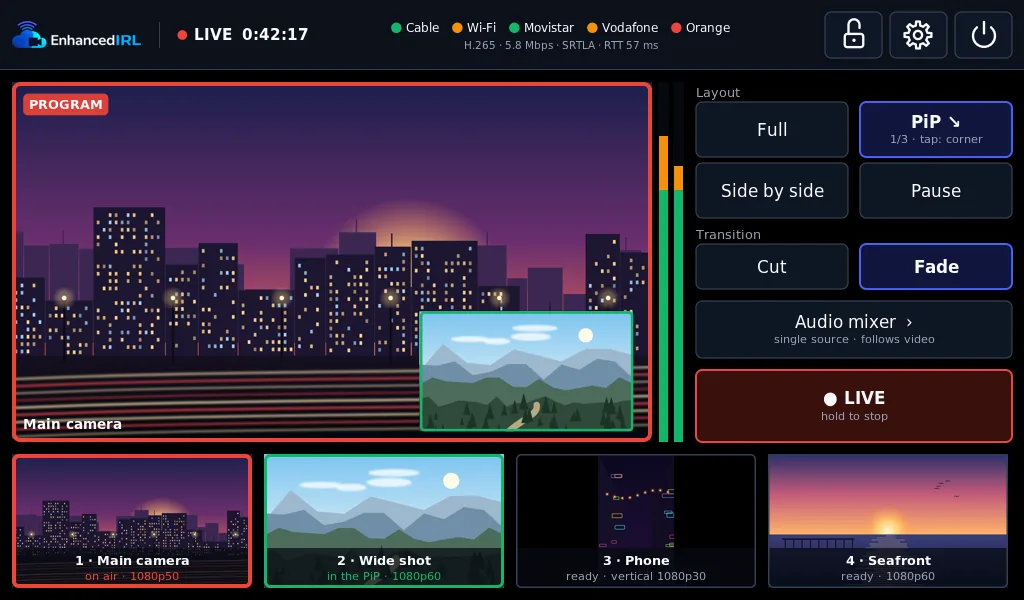
Cut and fade, picture-in-picture, side by side and a pause slate with text, on a 1024×600 touch screen. Up to four sources at once.
Audio separate from video
One input or a mix, with gain per input and headphones on the screen's jack.
H.264 or H.265, to anywhere
Hardware encoding over SRT, SRTLA, RTMP, RTMPS, RIST or UDP, with several saved destinations: Twitch, YouTube, Kick or your own server.
Bonding
With SRTLA it spreads the stream across Ethernet, Wi-Fi, USB 4G/5G modems and an iPhone plugged in by cable.
A web app on your network
Run it from your phone or laptop too, with a preview. The screen and the web app come in English, Spanish and French.
Updates with a button
Signed updates arrive over the internet and install with a button, never while you're live. If a new version doesn't start, the encoder goes back to the previous one by itself.
An image ready to write
Write the microSD image, power on and follow the setup wizard on the touch screen.
Screenshots
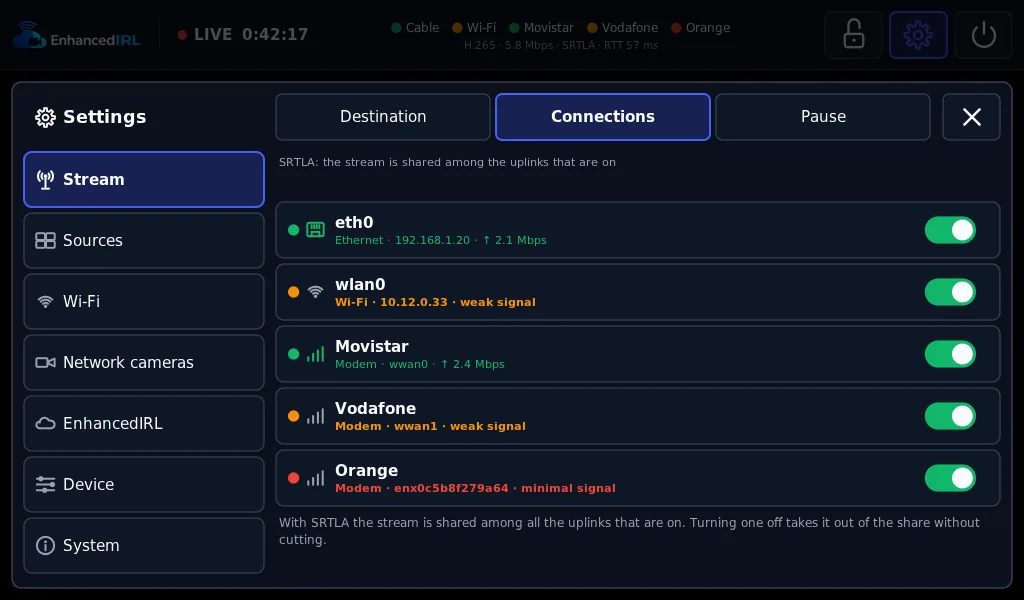
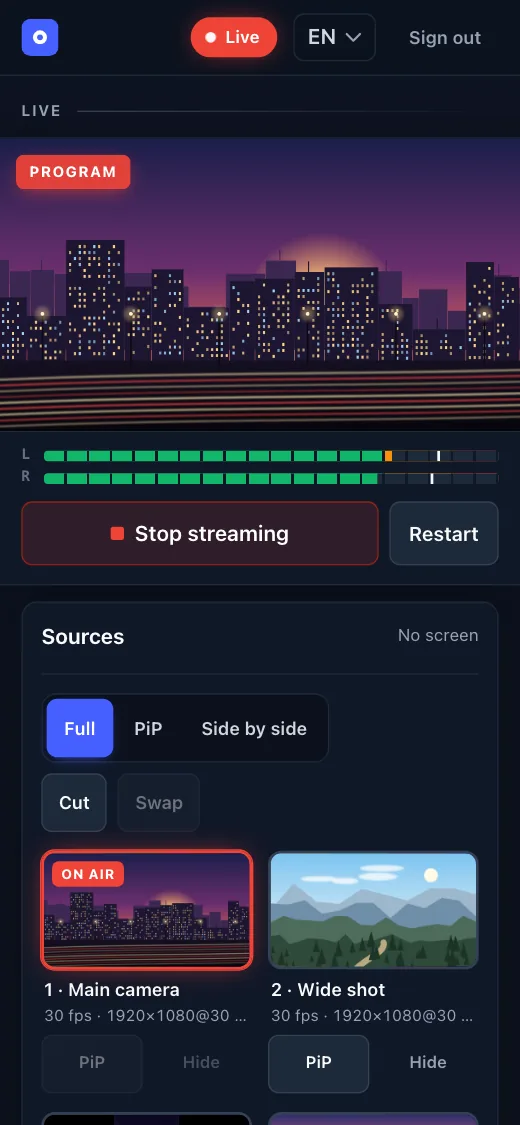
The screenshots are synthetic: the encoder's own interface draws them, with illustrations in place of the cameras.
What you need
These are the parts the encoder is tested with. A USB capture card is the easiest way to start: there is no wiring.
- Board. An NVIDIA Jetson Nano Developer Kit 4 GB with the B01 carrier (the one with two camera connectors). It is no longer made, so look for a second-hand one.
- Video capture. A USB capture card or a USB camera. An HDMI-to-CSI board with the TC358743 chip works too, but its HDMI audio needs extra wiring.
- Screen. A 1024×600 HDMI touch screen.
- Power. 5 V and 4 A through the barrel jack, with the J48 jumper fitted. With a weaker supply the board can reboot in the middle of a stream.
- microSD card. 16 GB or more. A 32 GB high-endurance card is better.
The 2 GB Jetson Nano, the A02 carrier and the eMMC module don't work. Neither does the Orin Nano: it has no hardware video encoder.
Already have a BELABOX?
If it runs on a Jetson Nano 4 GB B01 with a USB capture card, you already have everything you need: write the encoder to another microSD card and try it. Your BELABOX card stays untouched.
The full shopping list, with the extras for bonding
What EnhancedIRL adds
The encoder streams on its own to Twitch, YouTube, Kick or your own server. There are two things it can't do by itself:
- A receiver for bonding. SRTLA spreads the stream across your connections, and something has to put it back together on the other end. An EnhancedIRL stream key is that receiver, in Europe, the US or Asia, from €5 a month.
- A real OBS in the cloud. Cloud OBS takes the encoder's stream and runs your scenes and overlays on an NVIDIA GPU, with automatic scene switching: if your signal drops, your audience sees your BRB scene instead of a frozen picture.
Broadcasting with the EnhancedIRL Encoder to your stream key
What the receiver at the other end has to do: SRTLA relay hosting: what the bonded receiver has to do.
And if you want your scenes in the cloud: Cloud OBS: an OBS Studio that runs on a server, not on your PC.
Rather skip the server?
Stream Key Lite is a managed relay with RTMP, SRT and SRTLA ingest in Europe, Asia and the US: nothing to install, update or keep running. Point Moblin or your BELABOX at it and you are live.
€5a month · VAT included · cancel any time
Start with Stream Key LiteRunning NOALBS too? Stream Key adds managed automatic scene switching for €9 a month. See all plans
Questions, or want to show your build? The community is on our Discord, in English. Encoder bugs go to the GitHub issues.